
Hello everyone!
Last night I have finally started to really test this new phone of mine with some apps that could be highly useful for content enhancements with your own images.

If you have seen my community decentralised ecosystem emphasis account you would have noticed I managed to do something that usually you can’t do it yourself and rely on Google search images to do so. I actually used 3 different applications to do make this work with my own images, but let’s concentrate on one application at a time; and today I would like to introduce to you:

Word Cloud
This is found from Google Apps and not available for iOS; however you check out Word Salad or Shapego for similar, if not even cheekier designs to make.
So far, I am happy with I have.
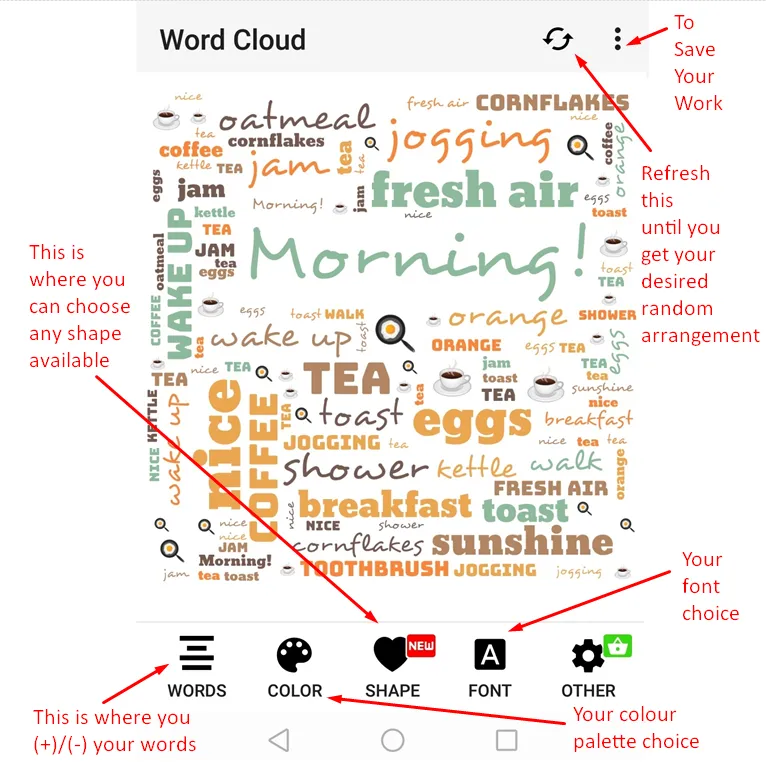
So basically, the whole app is really simple to use. When you enter the front page it will give you a whole range of choices which I have screen captured and showed you their functions in summary; and you can just randomly play around until you get your desired outcome.
Shape choices

As you enter the shape choices you can actually see its preview on the spot until you are satisfied with the combination; while you can still click on the refresh button at the top right just to see how they are randomly arranged for you.
Your own words
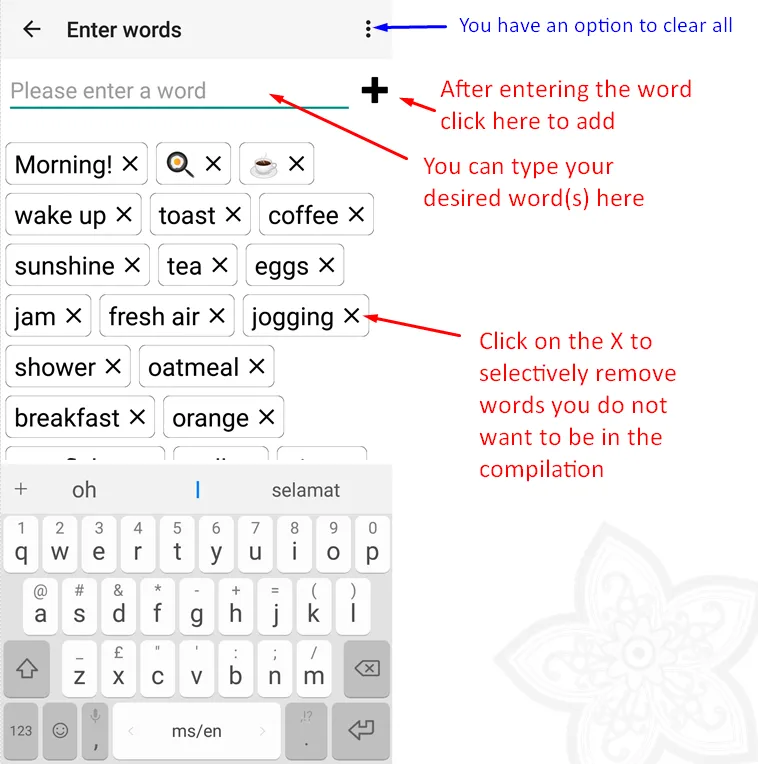
However if you are not satisfied by the default set of words, you can always add your own text / subtract whatever not needed. I have not tried Mandarin characters yet but perhaps I might give that a try later on to see its effect; whether the fonts support it or not.
Ps: You can actually use emoji icons depending whether your phone’s keyboard supports it or not.
Your taste of colours
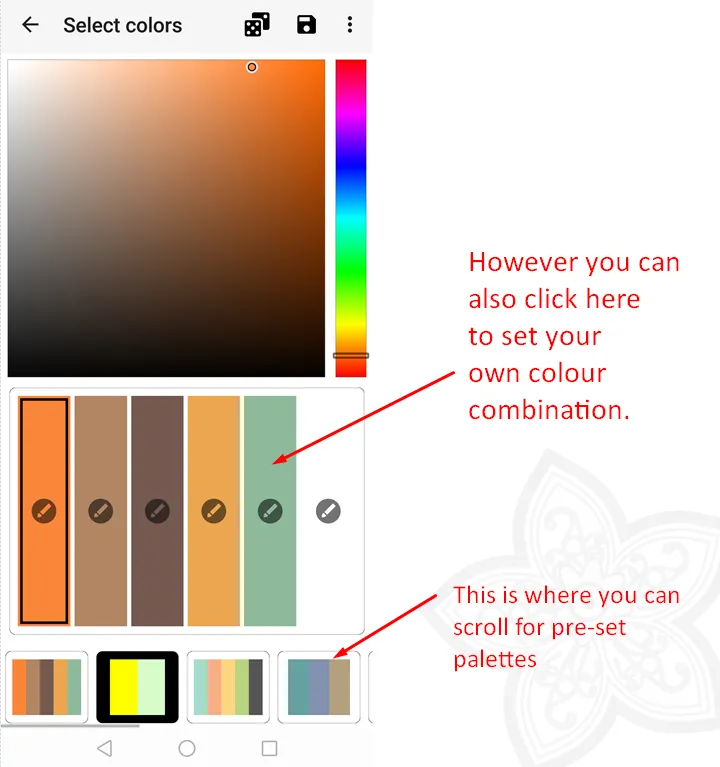
Although there is a small set of default palettes you can choose from, you are free to set your colours according to your own taste.
This is highly useful for those who wants full control over the design; but if you just need to quickly whip up a word cloud logo, just stick to the recommended palettes and you are safe.
Fonts Selections
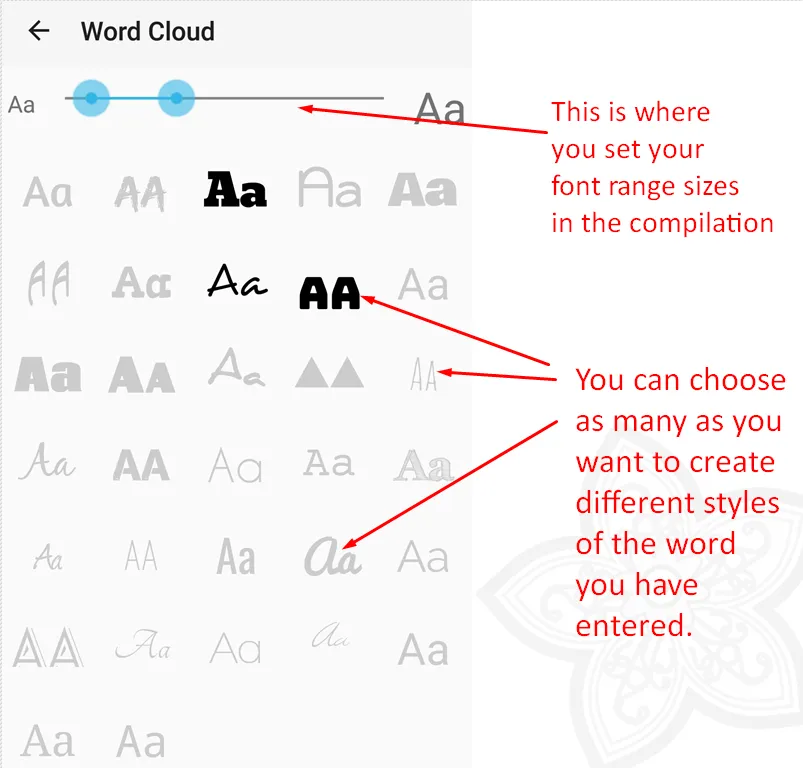
There isn’t a super huge range of fonts you can choose from, but I think those are already pretty good. Sometimes when you have too many choices you might end up getting overly confused.
So there you go; a simple straight forward application that you will find it super useful and not only that, you get to extend your own creativity without cheetah bots / steemcleaners hounding you for borrowed content .
What do you think? Would you give your creativity a spin with this app; or would you rather play the easy way out with free stock photos?
I hope you have enjoyed reading this discovery of mine as much as I have enjoyed preparing it.
At least now, you have a valid excuse to use your phone OTHER than social media scrolling. Time to put your phone into some really good use, perhaps?
Until then

Thank You for Your Time
